Templates to start from
The templates cover the jobs people most often need a watermark for:
- Copyright: © with your name and the year, in the bottom right corner.
- Date stamp: the date each photo was taken, filled in from the file (Pro).
- Social handle: your @handle on a soft label.
- Shop pattern: a repeating mark across product photos (Pro).
- Client proof: PROOF repeated across the image, for photos sent before purchase (Pro).
- Confidential: a large red diagonal mark for documents and drafts.
- Logo corner: your logo set in a corner.
How a design is built
A design is a stack of layers, drawn from the bottom up. Each layer is text or a logo, with its own position, size, opacity and rotation, and text layers also have a typeface and an effect. The free plan allows two layers; Pro allows up to six.
Two layers already cover a lot: a logo with your website under it, or your name in one corner and a © notice in another. With Pro's extra layers and repeating patterns, you can lay a faint mark across the whole image and keep a clear credit in the corner.
Sizes and margins are measured from each file's shorter edge, not in pixels. The same design looks right on a portrait photo, a square crop and a 4K video.
Download the watermark as a PNG
Sometimes you want the watermark itself, not a marked photo. Export with Watermark only and you get the design as a transparent PNG with nothing behind it.
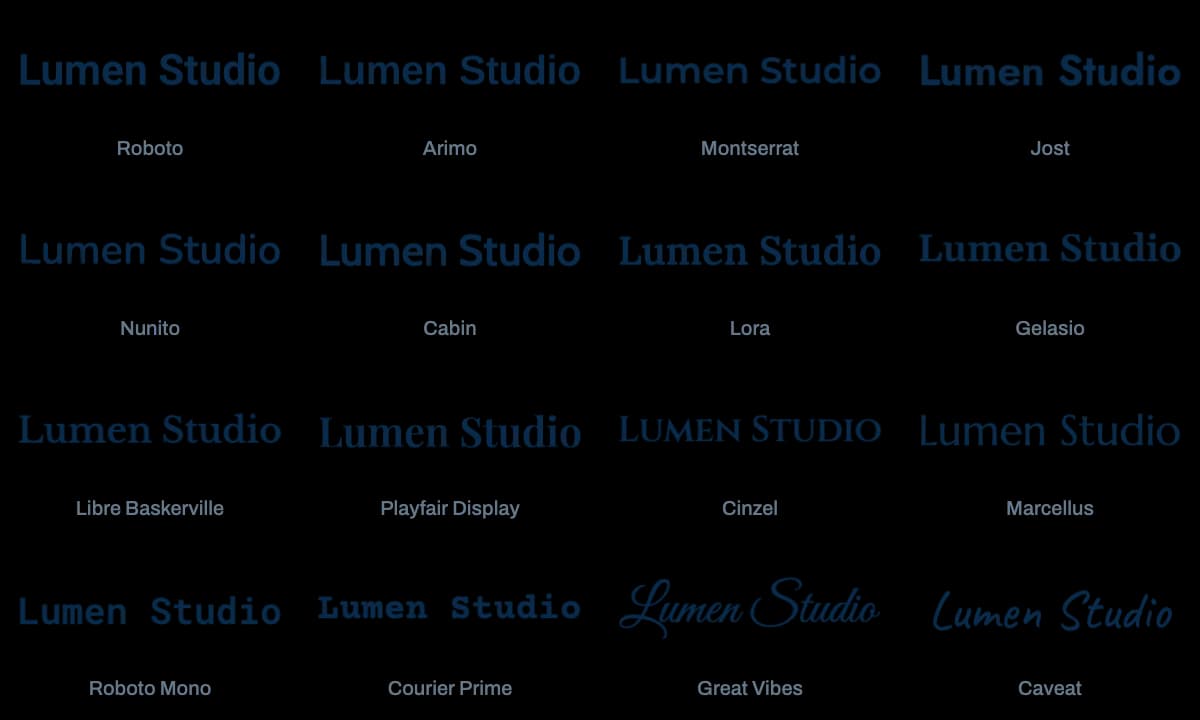
That file works anywhere you can place an image: a video editor, a slide deck, a design app or a document. It's also a quick way to turn your name, set in one of the 16 typefaces, into a reusable logo file.
Photos and videos alike
The generator works with JPG, PNG, WebP, AVIF and HEIC photos and with MP4, MOV and WebM videos. Photo copies keep their format or switch to JPEG, PNG or WebP, and video copies come out as MP4 with the mark drawn into every frame.
On video, Pro adds timing to each layer, so a mark can start and end at chosen seconds and fade in or out. The free plan exports one video at a time, up to 30 seconds long.
Save it and use it again
Save a design as a preset and it's ready next time, with the same words, typefaces and placement. The free plan keeps three presets, and Pro saves your presets to your account.
Photos and videos you apply it to are processed in your browser and never uploaded. Using the same preset on every file is what makes a watermark recognizable.