Run big batches on a computer
Every video is decoded, marked and encoded again on your own device, inside the browser. The clips are never uploaded, so the speed depends on your computer's processor and memory rather than your connection.
A laptop or desktop handles long and 4K clips far better than a phone, which has less memory to work with. Plug the laptop in and stop it from going to sleep during a long batch. For a very large set, a few smaller exports make it easier to spot and retry a problem file.
If you shoot on Android, the Watermark Ready app on Google Play runs batches that keep going in the background, which suits big jobs on a phone. Pro on this website and the app's in-app purchase are separate.
Placement that suits vertical and horizontal clips
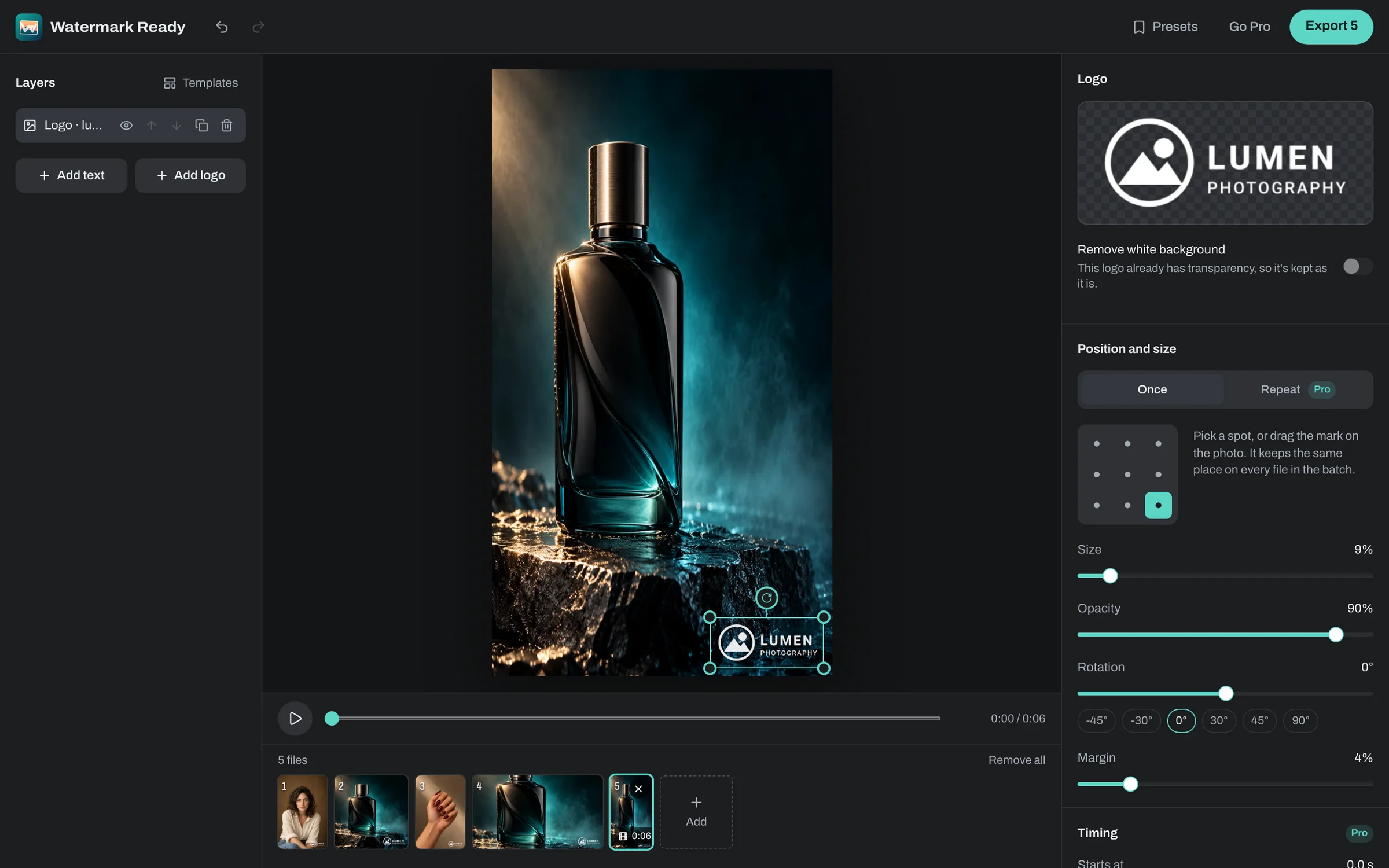
Because size and margin follow each video's shorter edge, a logo in a corner sits at the same relative spot on a 9:16 reel and a 16:9 clip. What changes is what covers it once the video is posted.
Vertical apps put buttons along the right side and captions along the bottom, and most video players show their controls along the bottom too. For a mixed batch, a top corner with a generous margin is usually the safest spot. Export one vertical and one horizontal clip first and check them where you'll post.
One set of settings for every clip
The export settings apply to every video in the batch. Standard keeps each clip at its original size in H.264, which plays everywhere. Smaller file uses H.265 where your browser can encode it, otherwise H.264, at up to 1080p, which keeps a big batch from filling your drive.
You can also cap every clip at 1080p or 720p. Social apps compress uploads again anyway, so 1080p is plenty for most posting. Each clip keeps its frame rate, length and sound.
Collecting the finished files
Several videos download as one ZIP. In Chrome and Edge you can save them straight into a folder instead, which avoids building one very large download, and on a phone you can share them or save them to your photos.
Each copy keeps its original name with _watermarked added, and the originals are never changed. Change the suffix or add a prefix, such as a campaign name, to keep the set easy to find.